Try it: hunting events with our Filings Search page
What you will learn
- How to hunt filings with our Filings Search page
- A repeatable routine: search, filter, open at the source
- Three mini-hunts that use everything from Chapters 1 to 5
- Why tools find filings, but only reading makes meaning
Chapters 1 to 5 taught you how to read event filings. This last chapter is about finding them fast. Our own Filings Search page searches SEC filings by company and keyword, and links you straight to the source on SEC.gov. Think of it as searching the school notice board by keyword instead of reading every pin.
 Notice the query box and the results list: each result is a real filing, and clicking through lands you on SEC.gov, where the original lives.
Your first hunt: the Cook 8-K
Try this right now. Open the page, search for Apple, and filter to 8-K filings. Find the April 2026 8-K about the CEO change from Chapter 1. Open it and check the item line: Item 5.02, exactly as promised. You have just done the full loop: heard about an event, found the filing, confirmed it at the source. All free, all in minutes.
 Notice the feed lists fresh filings as they arrive: a quick morning scan beats waiting for news sites to explain them to you.
Two more mini-hunts
- The honest sale. Search Microsoft or Nvidia and open a recent Form 4. Find the transaction code from Chapter 4. Was it a real own-money buy (P), a sale (S), or just pay and tax (A, F, M)?
- New shares. Search the word “offering” and look for a 424B5 from Chapter 5. How many shares were sold, and at what price?
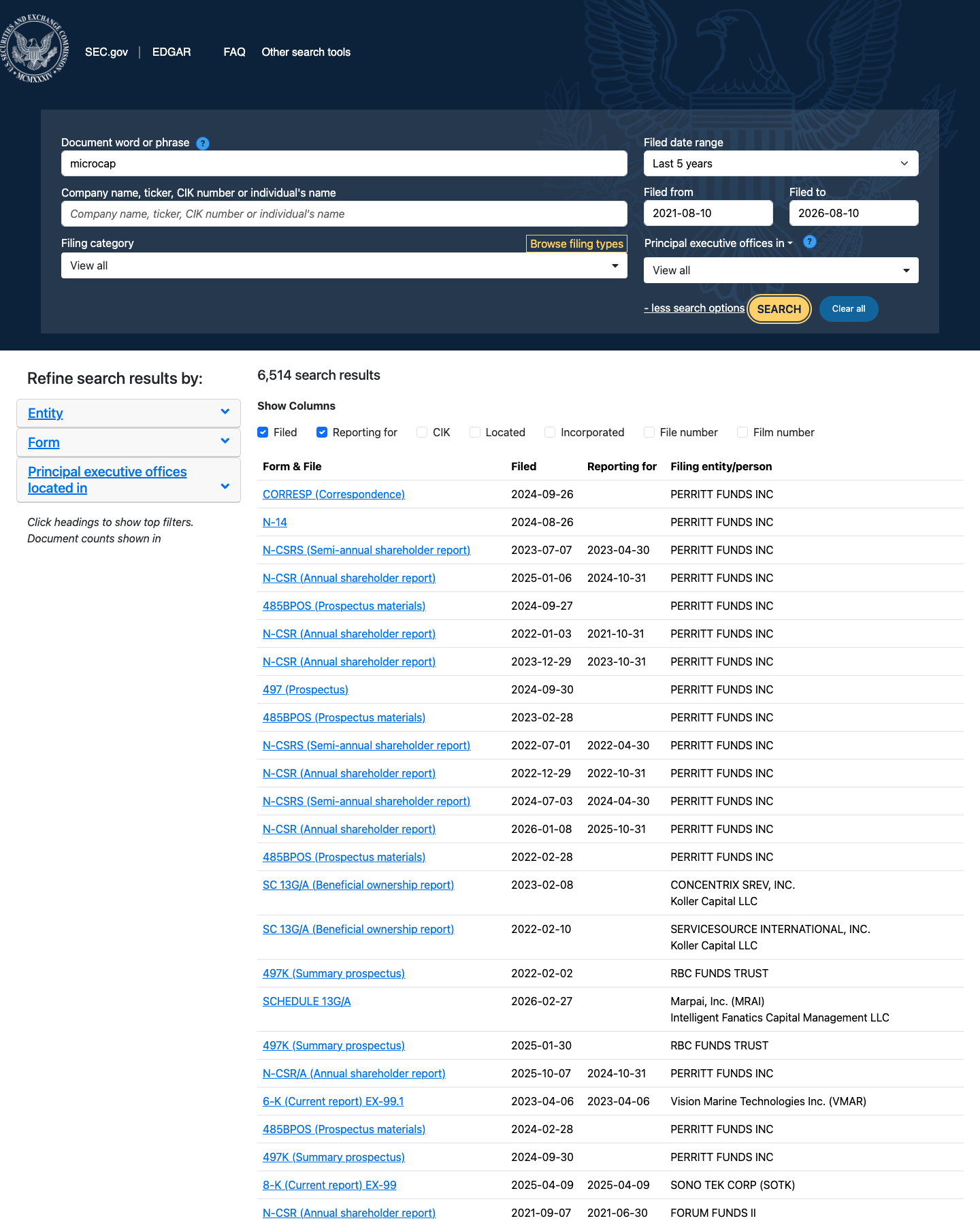 Notice EDGAR’s own full-text search does the same job at the source: use whichever you prefer, because the filings underneath are identical.
Now the honest part. A search page tells you what was filed, never what it means. Meaning comes from the reading you practised in Chapters 1 to 5. And always trust the filing itself over any summary, including ours: if our page and the SEC document ever disagree, the SEC document wins.
Try it yourself
The ten-minute scavenger hunt. Using Filings Search, find all three of these:
- an 8-K carrying Item 2.02 (a results day),
- a Form 4 carrying code P (an own-money buy),
- any company's latest DEF 14A.
For each one, write a single line: company, form, date, and what happened. Three lines, three forms, and you have used the whole module.
Key takeaways
- Search to find, then read at the source: SEC.gov is the final word.
- Item numbers and transaction codes are your shortcuts to meaning.
- Tools find filings; only reading makes meaning.
- Keep a small notebook: company, form, date, what happened. That habit compounds.
Read one real thing
The Filings Search page itself. Run one search and open one result: notice the address bar shows sec.gov. That is the source of truth, and now you know how to read it.
Listen to this chapter
Read by Ritu, a synthetic voice from Sarvam AI