EDGAR hands-on: find any company’s filings yourself
What you will learn
- How to find any company’s page on EDGAR
- What a CIK number is and why it never changes
- How to filter a wall of filings down to the one you want
- How to search inside every filing at once
Enough theory. This chapter is a slow, click-by-click walk from the search box to a real document. Follow along on a laptop or phone; every step is free and needs no login.
Step 1: find the company
Go to sec.gov and open the company filings search. Type “Apple” and pick “APPLE INC” from the suggestions. You land on Apple’s company page: a long table of every filing it has ever made.
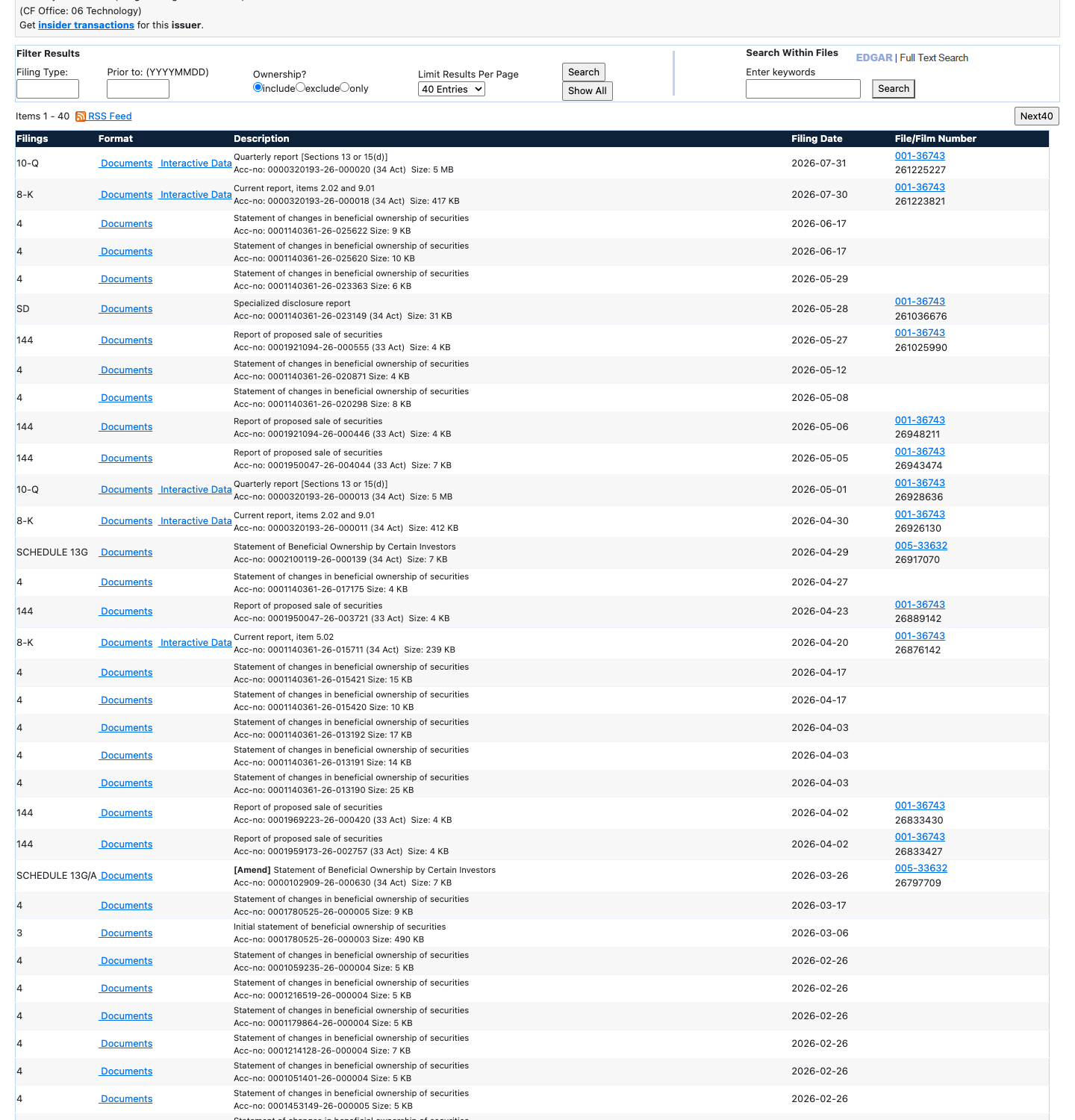
Notice the number 0000320193 near the company’s name: that is Apple’s CIK, and the table below it is the whole public record.
CIK stands for Central Index Key. It is the roll number EDGAR gives every company and person who files. Companies can change their names, merge, or move states; the CIK never changes. When in doubt, search by CIK and you will always land on the right filer.
Step 2: tame the list
Each row of the table is one filing: the date, the form type (10-K, 8-K, 4 and friends from Chapter 2), and a short description. There are hundreds of rows, so use the filter box above the table. Type “10-K” and only the annual reports remain. Type “8-K” and only the news bulletins remain.
Click the blue document link on the newest 10-K row. You are now looking at a document Apple itself wrote, signed and sent to the government. Scroll to Item 1, “Business”, and you will find Apple explaining what it sells, in its own words, for anyone on earth to read.
Step 3: search inside everything
Sometimes you do not know which filing holds your answer. Was it in the annual report? A news bulletin? For that, EDGAR has full-text search: a search box that looks inside every word of every filing going back to 2001, not just titles.
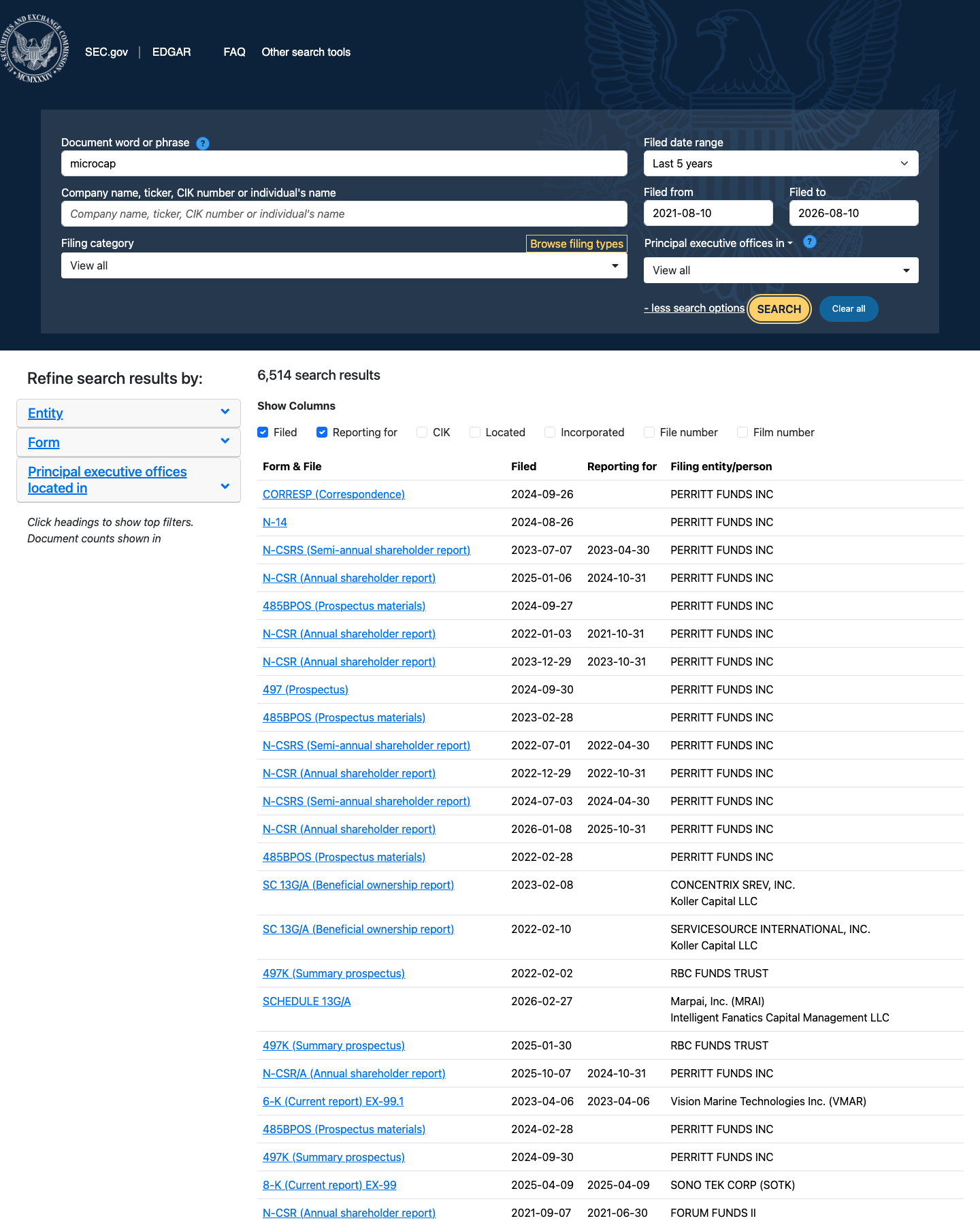
Notice the two things you control: the words you search for, and the company you limit the search to.
Try it: type “supply chain” and restrict the search to APPLE INC. You will get every place Apple has discussed its suppliers: risks, plans, problems. The same trick works for “chip”, “China”, “lawsuit”, or any word you care about. This one box turns a mountain of paper into answers.
Two practical tips. First, everything on EDGAR is free. If any website tries to sell you “SEC data”, remember the raw source sits here at no charge. Second, some sites present the same numbers in friendlier tables. We often glance at Apple’s page on StockAnalysis for that reason. But pretty tables are a convenience, never the source: when it matters, the filing wins. The next chapter shows why.
Try it yourself
Without re-reading the steps above, find the CIK of Coca-Cola, open its newest 10-K, and write down the title of Item 1A. Then run one full-text search on any word you like: “sugar”, “cloud”, “chip”. Which companies talk about it the most?
Key takeaways
- Every filer on EDGAR has a permanent ID called a CIK; names can change, the CIK cannot.
- The filter box turns a wall of filings into the one you want in seconds.
- Full-text search reads inside every filing back to 2001, so you can chase one word across thousands of documents.
- EDGAR is free and needs no login; friendlier sites are optional, the filings are the record.
Read one real thing
EDGAR full-text search. Type “iPhone” and notice how many companies besides Apple are forced to write about it: suppliers, rivals, even app makers.
Watch this chapter
The video edition, on our YouTube channel
Listen to this chapter
Read by Ritu, a synthetic voice from Sarvam AI